New menu and improved document lists

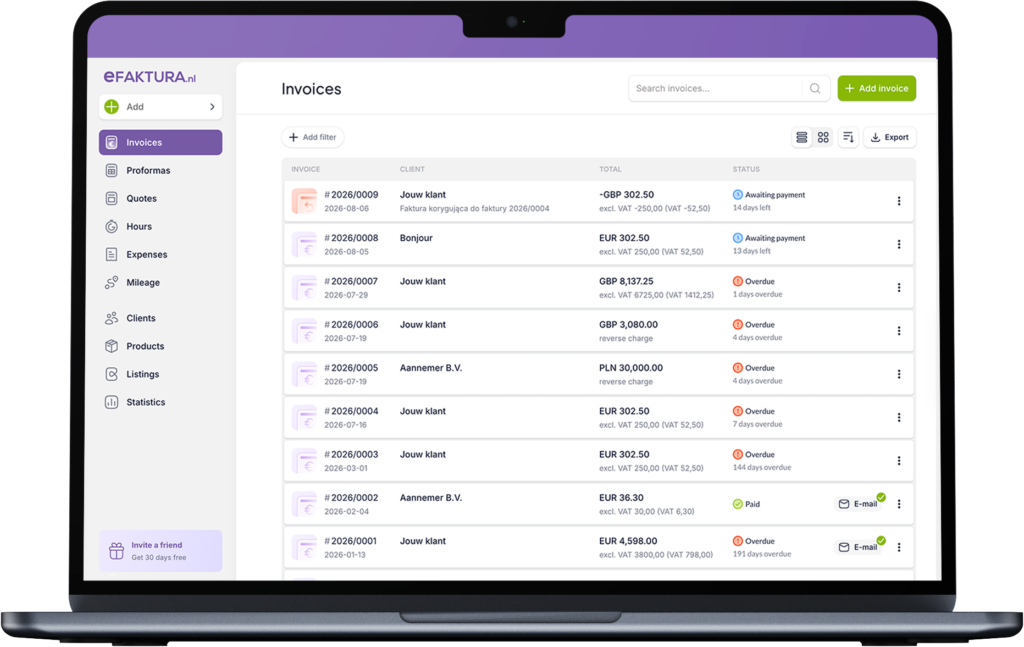
The document lists in eFaktura.nl have undergone their first major update in many years. We know that if you use the app every day, the new layout may take a little time to get used to.
That is why we have prepared a short guide explaining what has changed, where to find familiar features and how to use the new filters, sorting options and document views.
What has changed?
- a new menu on the left,
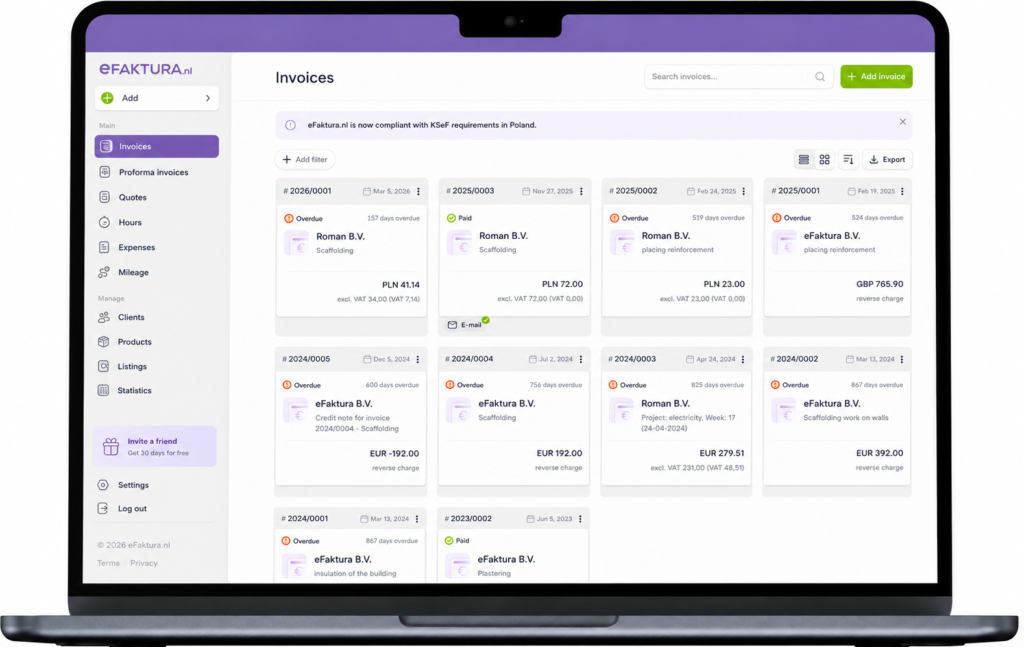
- two document list views to choose from,
- clearer credit note labels,
- new payment statuses,
- more advanced invoice filters,
- the option to display more documents on one page,
- more options for downloading documents,
- a completely new customer list,
- an updated mileage list.
New menu – key features are easier to find
We have reorganised the menu on the left to make it easier to access the parts of the system you use most often, such as invoices, customers, costs and mileage. The new layout makes navigation clearer and prepares the system for new features that we will gradually add.
You will also find a highlighted “Invite a friend” icon in the menu. It takes you directly to the referral programme, where you can check the status of your invitations and see how many of your 30 free days in the app you have earned.
Explore the new list view
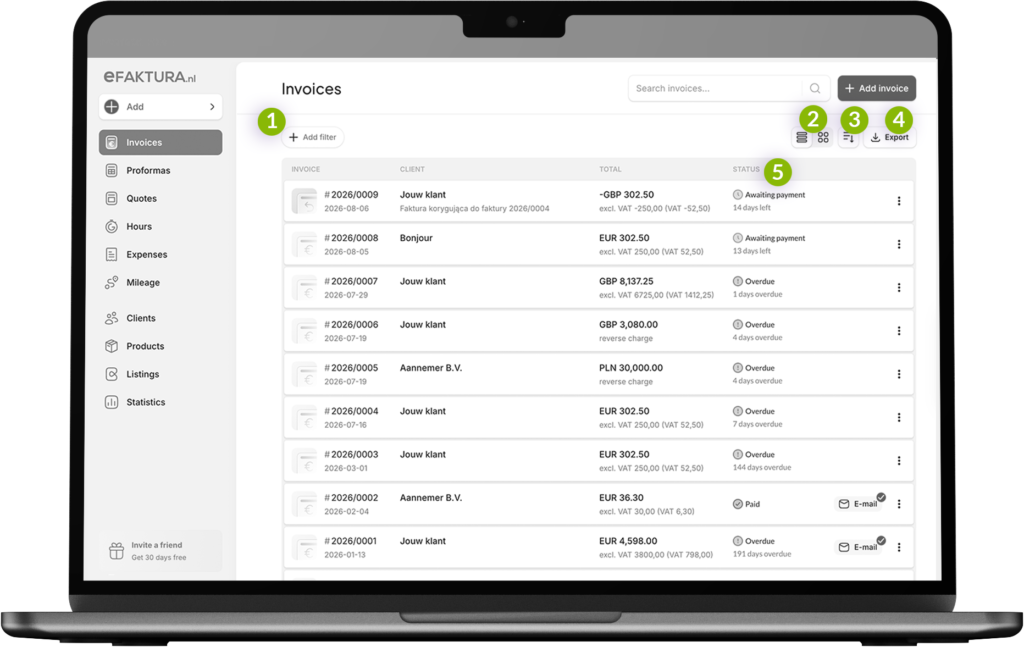
- Add a filter
Narrow down the list by status, period, customer or currency. - Choose a view
Switch between the classic list and card view. - Sort documents
Sort them by invoice number, customer or gross amount. - Export
Select the documents and range you want to download. - Check the status
See immediately whether an invoice is awaiting payment, overdue or paid.
Two document views
You can display your documents in two ways:
- as a classic list,
- in card view.
The classic list makes it easier to compare information quickly, while the card view is useful if you prefer a more visual layout. You can choose the view that best suits the way you work.
Clearer credit note labels
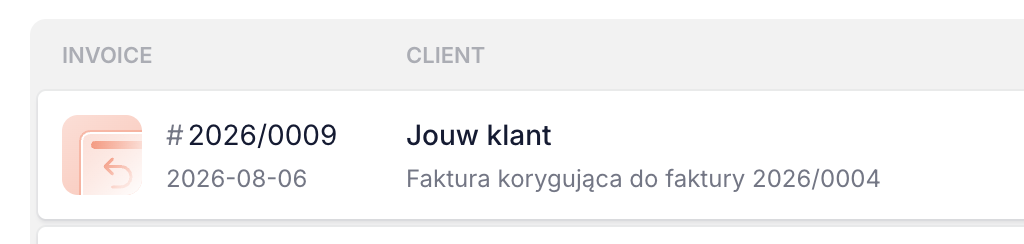
Credit notes are now easier to recognise thanks to a dedicated icon. This allows you to tell a credit note from a regular invoice at a glance.
It is especially useful when reviewing a large number of documents. We introduced this change following feedback from users who found the previous label unclear.
New payment statuses
Each invoice now shows its current status:
- awaiting payment – with the number of days remaining until the due date,
- overdue – with the number of days past the due date,
- paid.
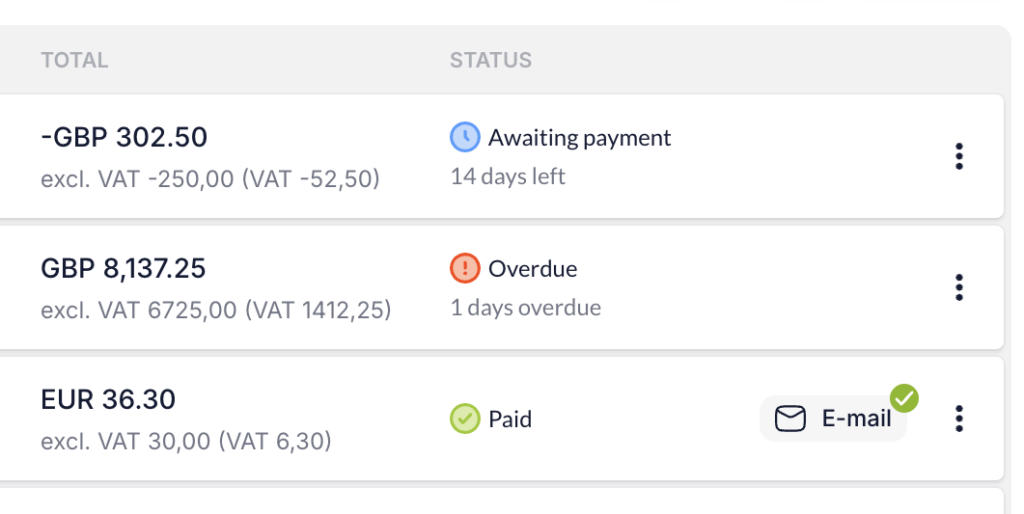
Credit notes also have a separate icon and can be displayed using a filter. This makes it easier to identify the document type and check which payments require your attention.
Improved invoice filters
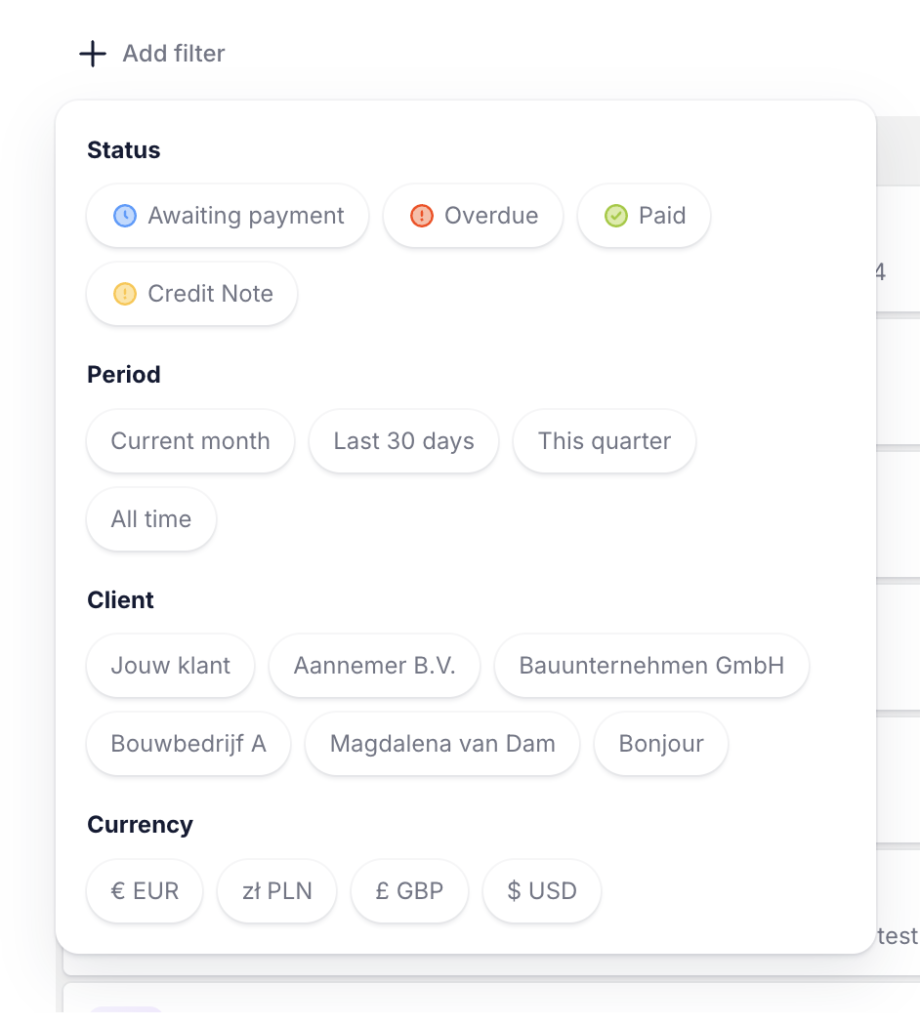
You can filter invoices by:
- status: awaiting payment, overdue, paid or credit note,
- period: current month, last 30 days, current quarter or all,
- customer,
- currency.
You can combine different criteria to quickly find the documents you need, such as unpaid invoices for a specific customer from the current quarter. This means you no longer have to search through the entire list.
Up to 50 invoices on one page
You can now display up to 50 invoices on one page instead of the previous limit of 10. This means less switching between pages and a quicker overview of more documents.
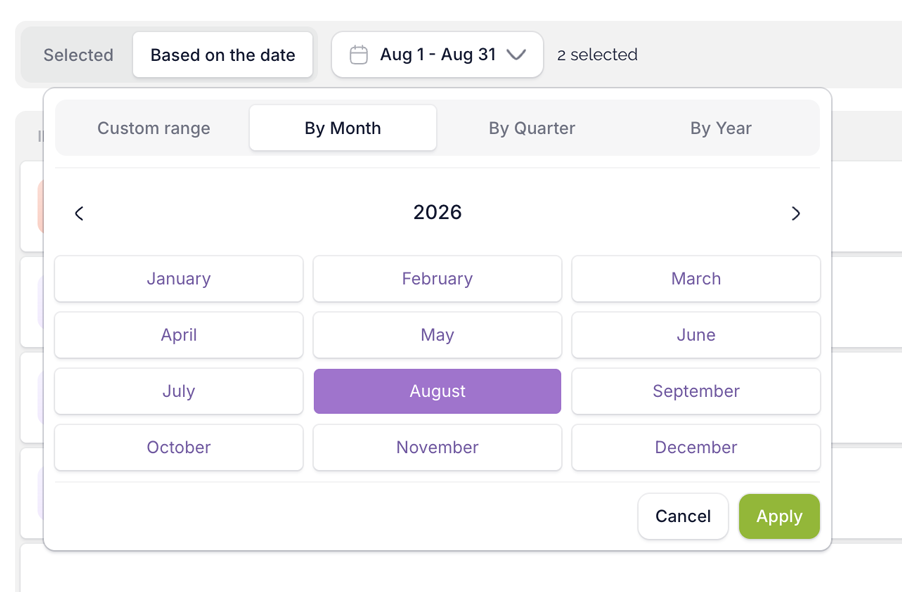
More options for downloading documents
We have also expanded the options for downloading invoices and made it easier to select the required range. You can define more precisely which documents you want to download and prepare the files you need more quickly.
New customer list
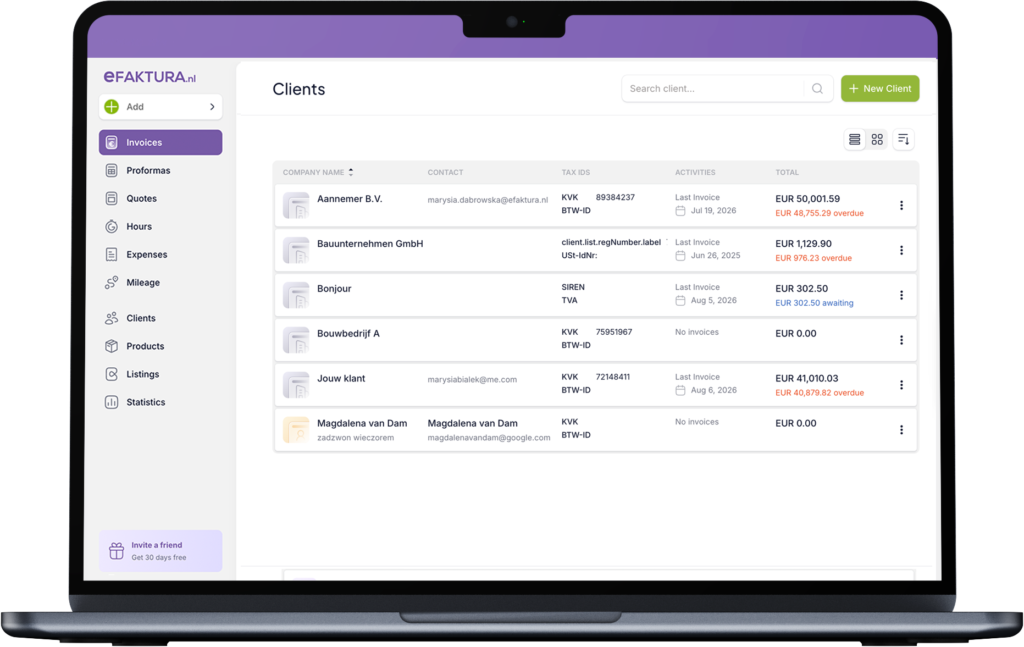
The customer list has been completely redesigned. For each customer, you can now see:
- the most recently issued invoice,
- the total value of issued invoices,
- the amount that is still awaiting payment.
You can also sort the customer list by sales amount. This allows you to quickly see which customers have generated the most revenue for your business.
The most important information is available directly on the list, making it easier to check both the value of your business with individual customers and any outstanding payments.poszczególnymi klientami, jak i nieuregulowane należności.
The main purpose of the new menu and lists is to give you quicker access to the information you need. Payment statuses, filters and additional details help you work faster without opening each document separately.