A new look for the eFaktura.nl Accountant panel
The eFaktura.nl Accountant panel has a new look
This is a major change that marks the next stage in the development of tools for the accounting firms working with us.
The ability to connect an eFaktura.nl user account with an accountant is one of the most important elements of our application. We want this collaboration to be as convenient as possible for both sides, which is why we continue to develop both the application for business owners and the panel for accountants.
The redesigned interface is clearer, provides faster access to essential information and makes it easier to see what is happening in connected clients’ accounts. The panel is now also easy to use on a phone, with a layout adapted to smaller screens that keeps all information clearly readable.
Essential information right on the dashboard
After logging in to the panel, accountants arrive at the new dashboard. Here, they can quickly check their clients’ situation without switching between tabs.
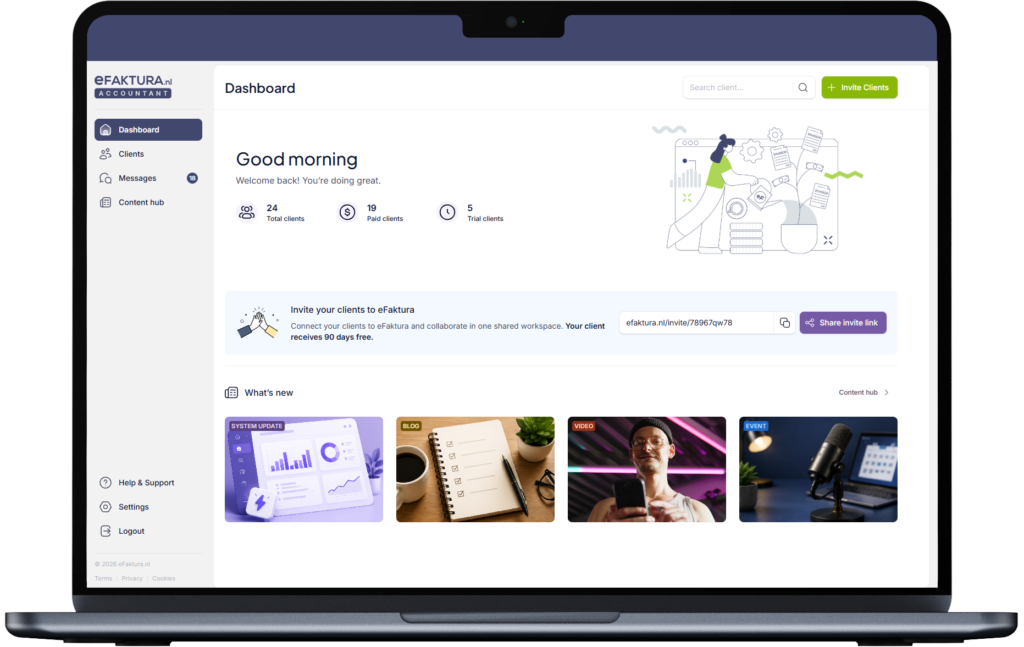
The dashboard shows, among other things:
- the number of clients connected to the accounting firm,
- information about their subscription status,
- the number of people still trying out eFaktura.nl.
This information makes it easier to see how many clients actively use the application, who has accepted an invitation to connect and where a follow-up may be needed.
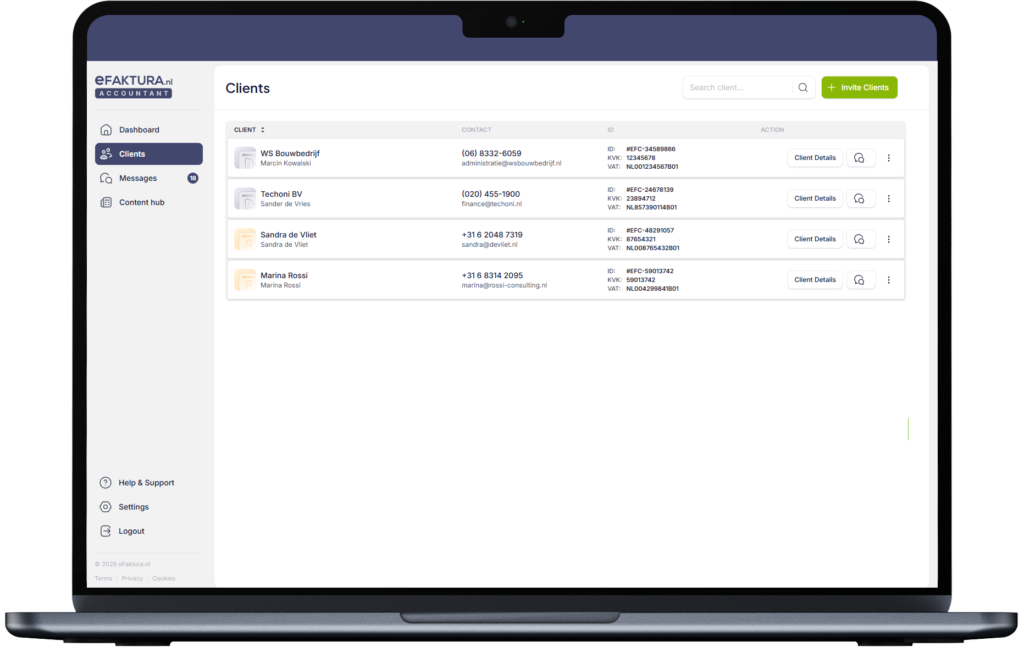
A clearer client list
We have refreshed the client list view to make it easier to find a specific business, check essential information and go straight to its documents.
When accountants open a client’s profile, they get a clear overview of the client’s sales invoices, expenses and mileage records. In the same place, they can also see the level of access granted by the client.
This may be access limited to viewing and downloading documents, or full permissions that also include issuing, correcting and sending invoices on the client’s behalf.
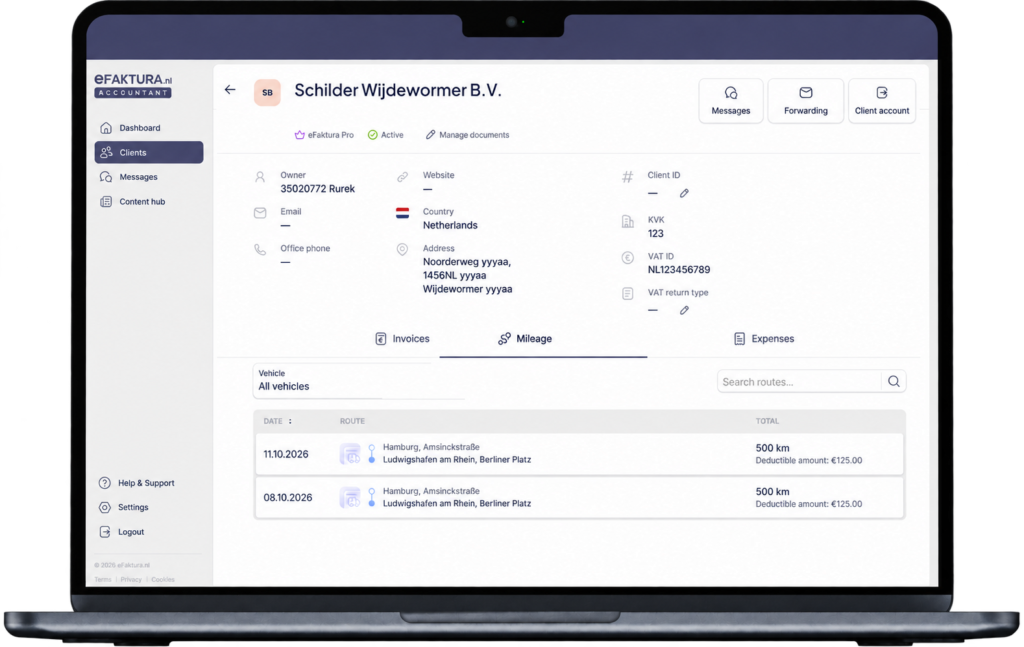
An entirely new option allows clients to give their accountant access to their dashboard and all the features available there. The client always decides which permissions to grant, and the level of access is clearly displayed in the panel. This means both sides know the terms of their collaboration.
Managing invitations to connect
Clients can be invited to connect directly from the eFaktura.nl Accountant panel. Invitations can be sent to one person or to multiple clients at once by entering several email addresses.
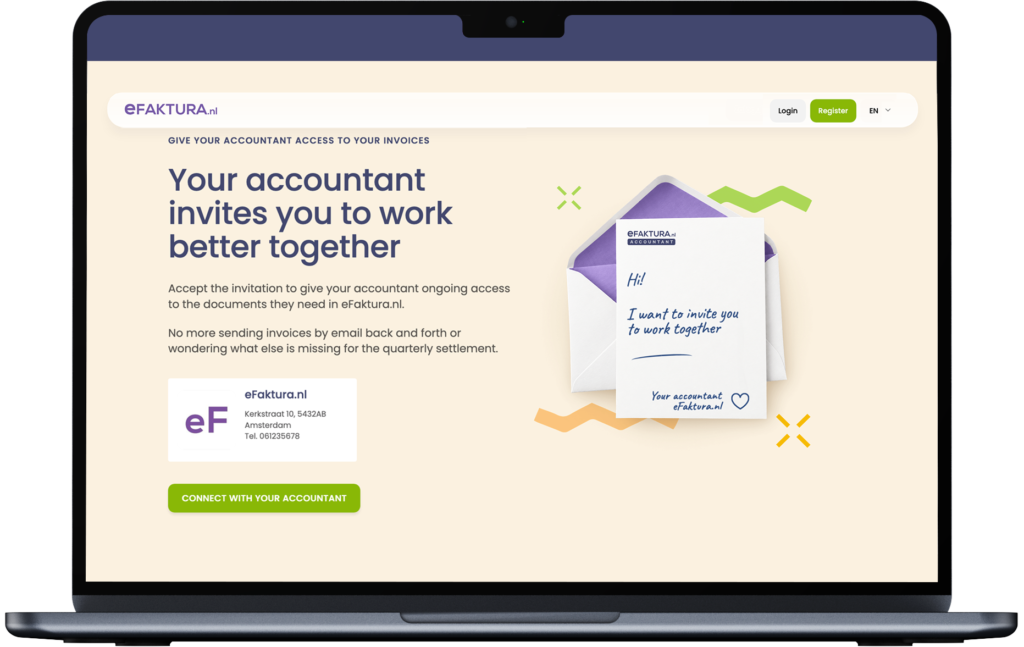
Each accounting firm also receives a unique invitation link that it can share with clients in any way it chooses, for example by email, on its website or on social media.
Whether a client receives an invitation directly from the panel or uses the firm’s link, they receive 90 days of free access to eFaktura.nl when creating an account.
When a client uses the invitation and connects their account with the accounting firm, the accountant receives an email and the business appears in their client list in the panel.
Knowledge and events in the Content hub
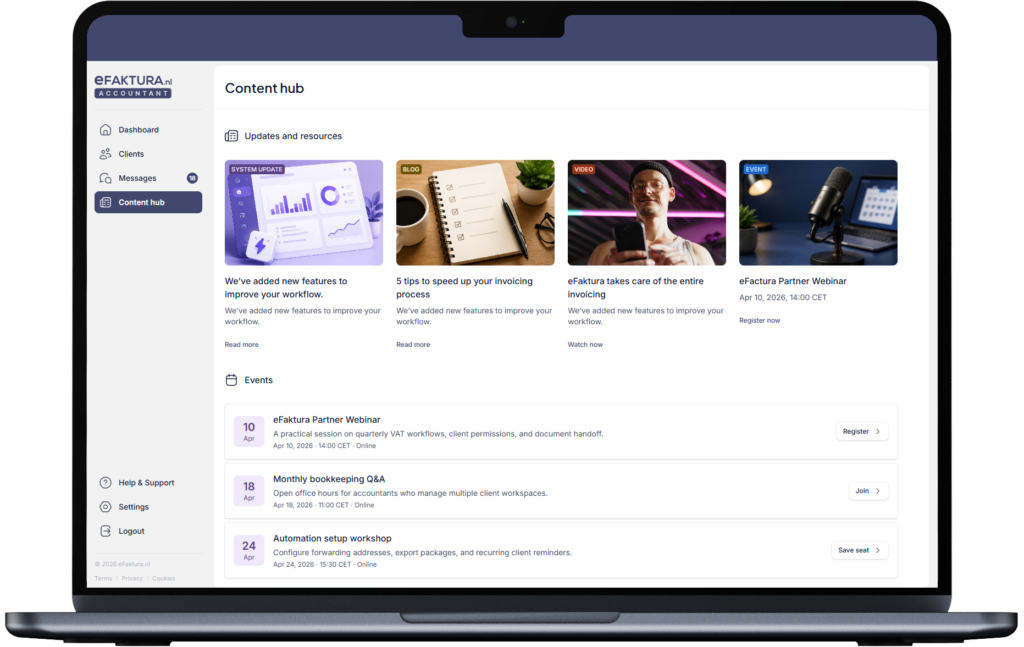
eFaktura.nl Accountant is about more than working with documents. The panel now also includes the latest articles from the eFaktura.nl blog and information about events for accountants.
Until now, updates about new features in the application have mainly been sent to business owners. Accounting firms will now have easy access to them too.
We will also use this section to share information about the events we organise. This means all event announcements will be available in one place, making it easier to plan attendance at the next meeting.
A panel developed with everyday work in mind
eFaktura.nl Accountant gives accountants ongoing access to business owners’ documents and reduces the need to send them in separate messages. In the redesigned view, essential information is organised clearly, while inviting clients and accessing their documents takes less time.
The Messages tab will soon offer direct communication with clients. We hope that keeping conversations in one place, alongside documents, will help organise the flow of information and make everyday collaboration easier for both sides.
Transferring documents to accounting software remains one of the panel’s main features. You will now find this option in the top right corner of the client’s profile. Its location has changed, but it still works in the same way.
The new layout may take a little time to get used to. All existing features remain available, and we will continue adding improvements to the panel. We hope you will enjoy exploring the new look and find your everyday work easier.