Online invoice payments with Mollie
You can now add an online payment link to your invoices in eFaktura.nl. It’s the result of our integration with Mollie, a Dutch payment provider supervised by De Nederlandsche Bank. We built it so your clients can pay an invoice as soon as they receive it, without typing in any transfer details.
What this change gives you:
- your client pays with one click from the invoice email, for example with iDEAL/Wero, a card or BLIK (you choose the payment methods)
- the amount and invoice number are already on the payment page, so there are no mistakes in the payment reference or amount
- after a successful payment, the invoice in eFaktura.nl is automatically marked as “paid”
- the money goes to your business bank account via Mollie
The feature is available in the PRO plan. To use it, you need a verified Mollie account.
How does it work?
- You connect eFaktura.nl to your Mollie account once.
- You create an invoice and add a payment link to it.
- Your client receives the invoice by email, clicks the link and pays with their chosen method.
- Mollie transfers the money to your business account, and the invoice in eFaktura.nl is marked as “paid”.
How do I activate online payments?
In eFaktura.nl, go to Settings and select the Mollie integration. Then create a Mollie account using the link in the app. If you already have a Mollie account, just log in. Registration is available in English too.
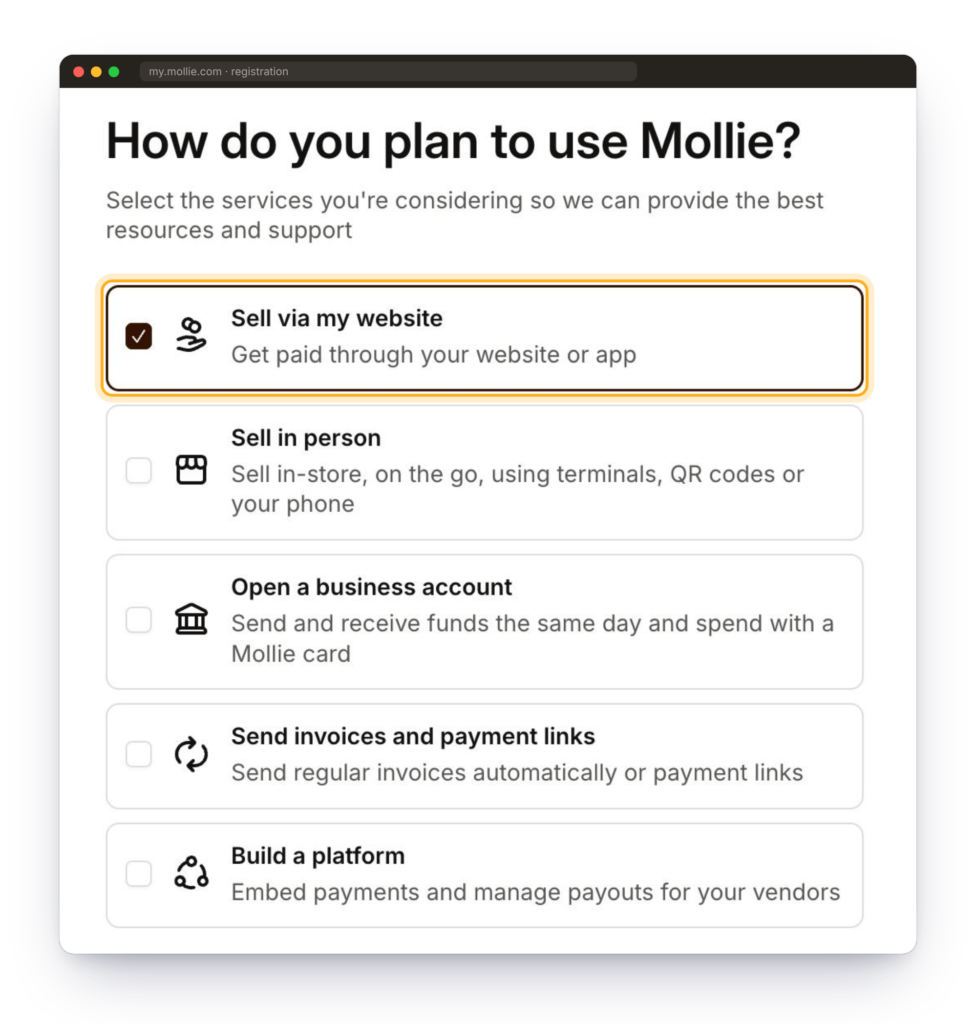
Please note: at the start of registration, Mollie will ask how you plan to use your account. Select the first option, Sell via my website (“Get paid through your website or app”). This option lets eFaktura.nl create payment links on your invoices.
Have your KvK number, BTW number, ID document and access to your business bank account ready. Mollie usually verifies an account within 2–3 business days, and payment links work once your account has been verified.
How does a payment link work?
- You create an invoice in eFaktura.nl and add a payment link to it.
- You send the invoice from the app. Your client receives it by email together with the link.
- Your client clicks the link, lands on a Mollie payment page showing the amount and invoice number, chooses a method and pays.
- The invoice in eFaktura.nl is automatically marked as “paid”, and Mollie transfers the money to your business account according to your payout schedule.
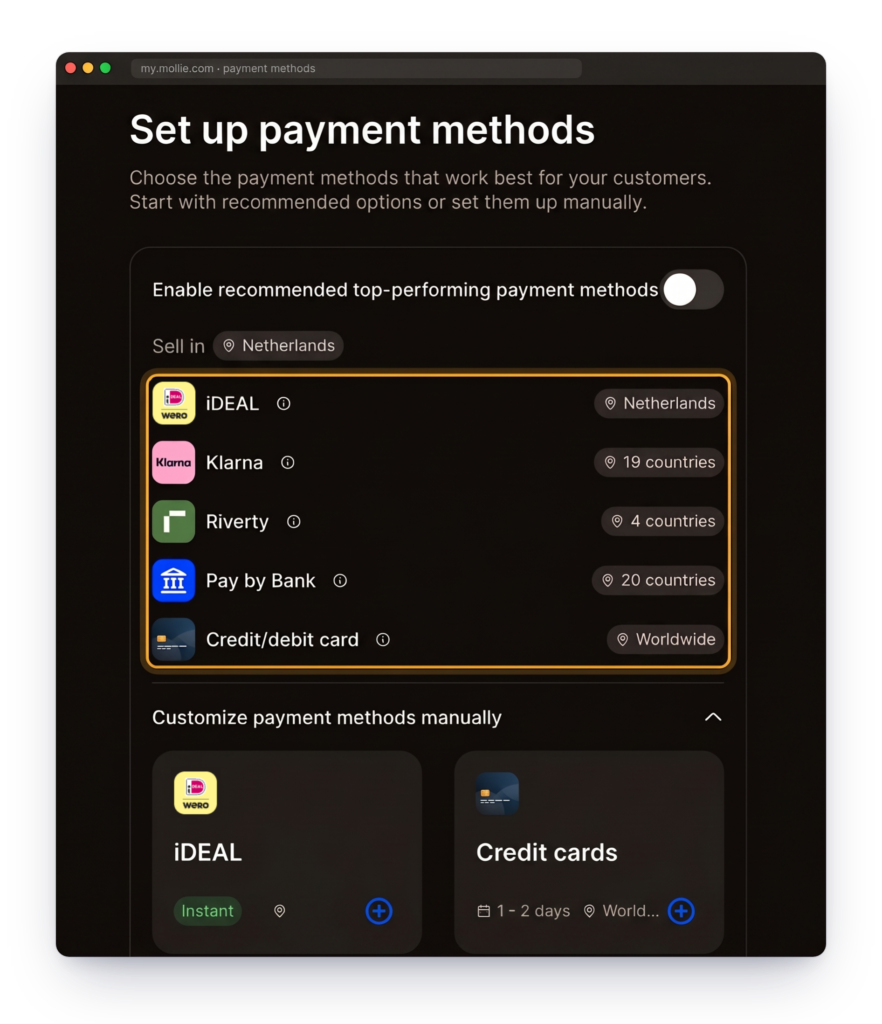
You choose the payment methods your client sees in your Mollie dashboard, for example iDEAL/Wero, cards, Bancontact or PayPal. Your client doesn’t need to create an account, and a regular transfer to the account number on the invoice is still possible.
How much do Mollie payments cost?
You pay nothing for this feature in eFaktura.nl beyond your PRO plan. Mollie doesn’t charge a subscription, only a fee for each successful transaction. The fee depends on the payment method: around €0.32 for iDEAL/Wero, and a percentage of the amount plus €0.25 for cards and Bancontact. The fee is deducted from your payout, so you don’t have to pay it separately.
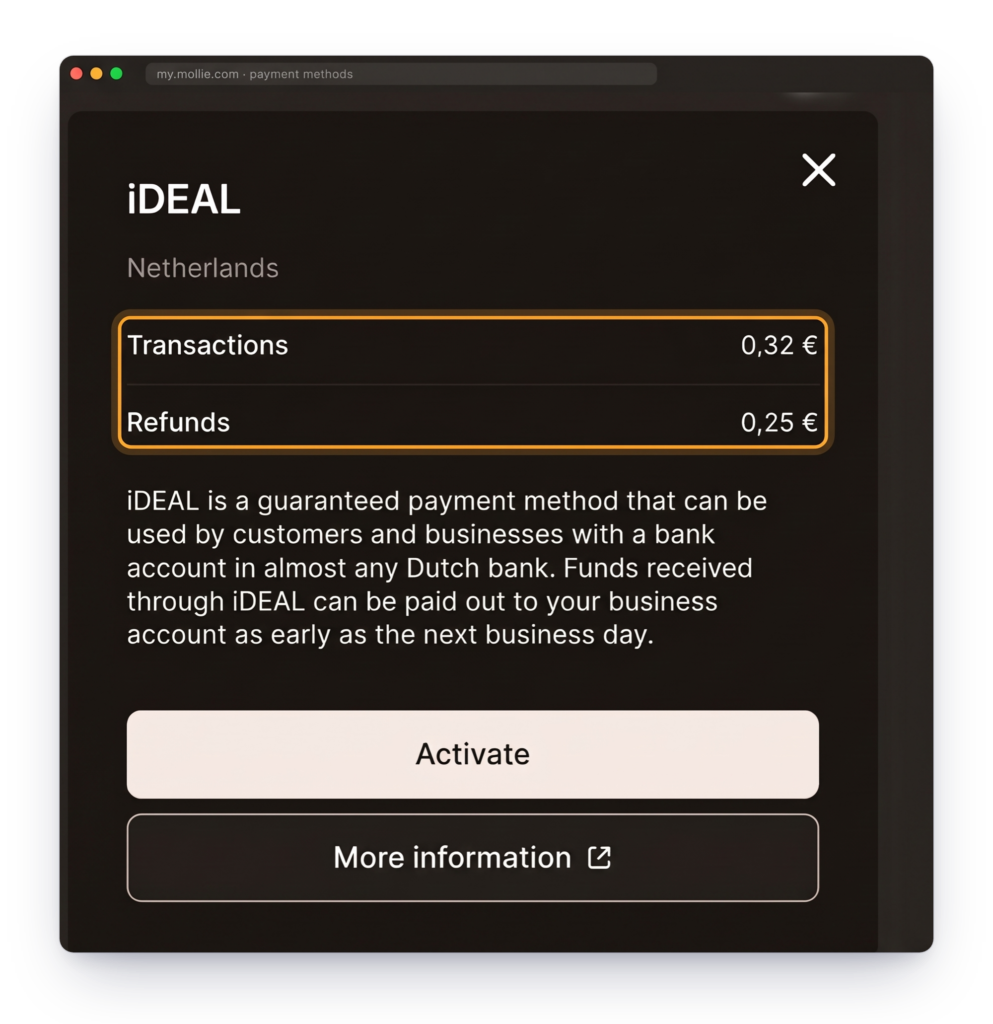
You can check the current rates for each method in Mollie’s pricing.
Full guide
You’ll find Mollie registration step by step, with a description of the key stages, plus answers to questions about security, refunds and payouts, on the dedicated integration page.
SEE THE FULL GUIDE
We hope payment links will save you some of the time you now spend checking your account and chasing overdue invoices, and that your clients will appreciate how quickly they can pay.